Senova Chat
Ask for an answer and get the work: a deck you can present, a sheet you can edit, a document you can send, made beside the conversation.
On the web. Free while we're in beta.
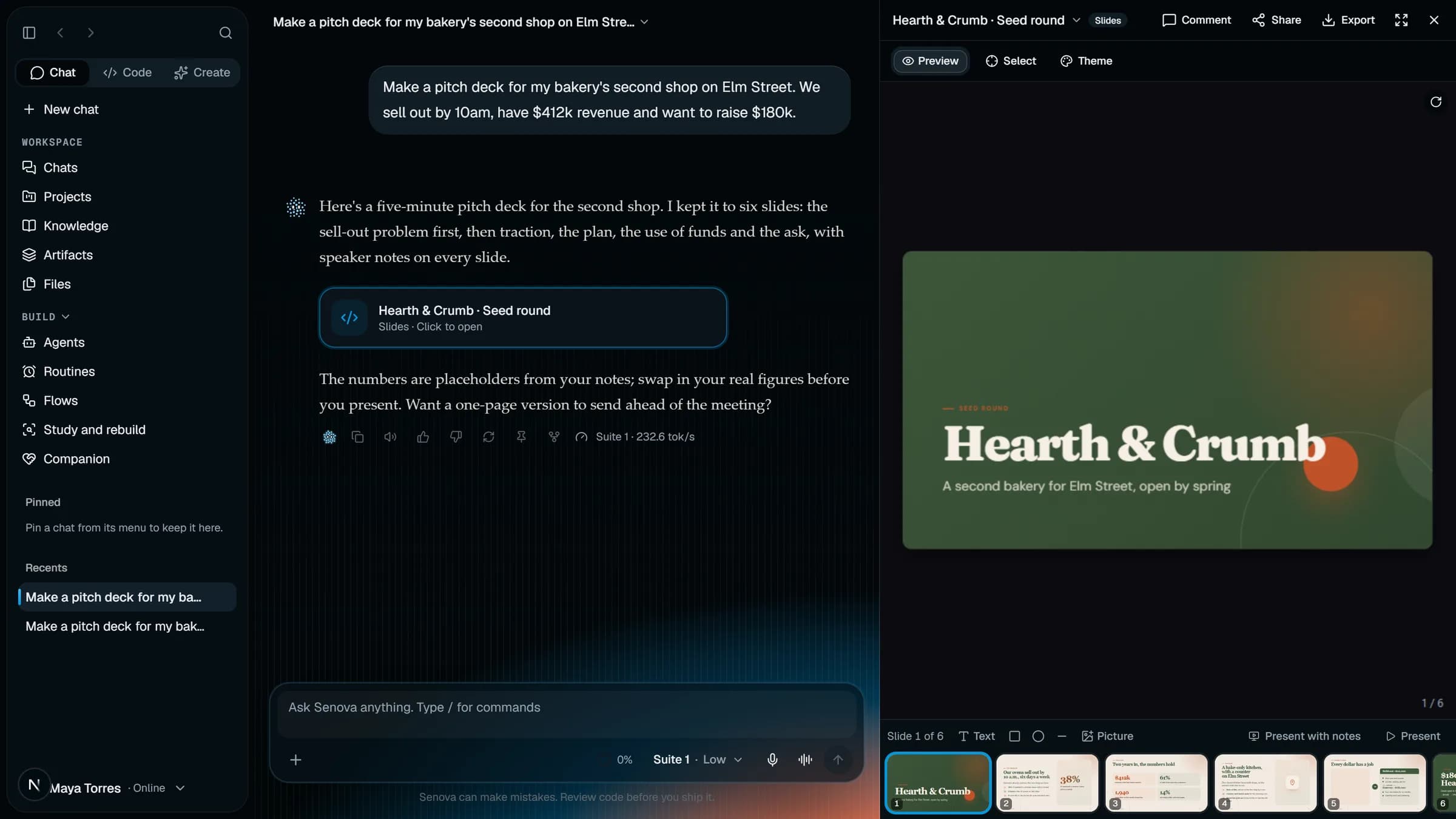
What it makes beside the chat:
- Documents
- Slides
- Sheets
- Diagrams
- Web search
- Voice
Artifacts you keep
Documents, slides, sheets, diagrams and designs open beside the chat. Edit them by hand or by asking, and every change is a new version.
Your files and projects
Drop in PDFs, spreadsheets and images. Projects keep the chats, files and instructions for one piece of work together.
The web, with sources
Senova searches when it needs to and shows where each answer came from, so you can check it.
Voice when typing is slow
Talk to Senova in voice mode, and have any answer read aloud.
Memory you control
Senova can remember what you ask it to. See and delete what it knows in Settings.
Pick the model, or don't
Choose Prelude for speed or Symphony for hard problems, or let Senova pick for each message.
Models
Five models, one ensemble
Senova runs on its own model family, each named for a musical form and written here in it: the stronger the model, the richer the music. Pick one, or let Senova choose for each message.
Symphony The full orchestra. The most capable. Hard problems, careful reasoning. Click a bar to hear it. Stronger models, richer music.